
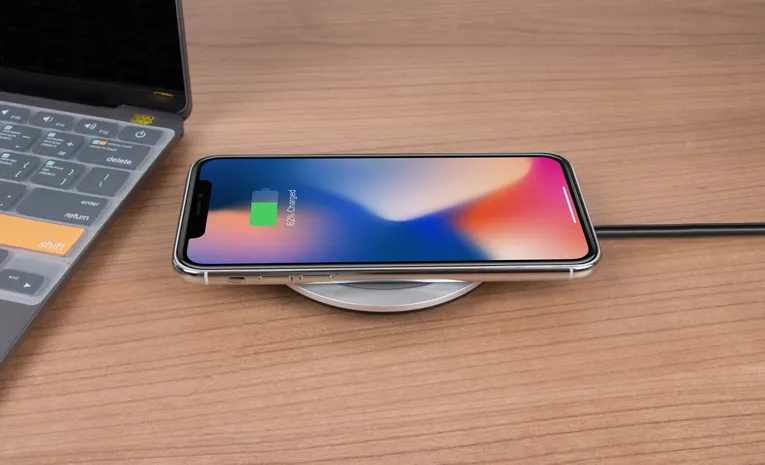
Quick answer: A public USB port itself cannot be inspected for safety by looking at it, since juice jacking relies on tampered hardware that looks identical to a normal port. The safest approach is to avoid public USB ports for data-capable charging entirely: use your own wall adapter plugged into a standard AC outlet, or carry a portable power bank. If you must use a public USB port, select “Charge Only” if your phone prompts you, and never tap “Trust This Computer” on an unfamiliar connection.
A dying phone battery at an airport gate or a coffee shop creates real pressure to plug into whatever port is nearby. The risk behind that decision, juice jacking, is genuine and documented by security researchers and federal agencies, though it is more nuanced than the more alarming headlines suggest.
What Is Juice Jacking, Actually?
A standard USB cable carries both electrical power and data through the same connector. Juice jacking describes a tampered port or cable that uses that data pathway to pull information off your device, or push malicious software onto it, while your battery appears to be charging normally. From the port’s perspective, the connection is fully bidirectional unless something specifically blocks the data pathway. Plug in, and you have no visual way to know whether you are drawing pure power or exposing a data connection too.
How Real Is This Threat, Honestly?
This is worth answering directly, since online warnings often overstate the danger. According to the Global Cyber Alliance, no publicly confirmed case exists of an average person’s device being compromised through an ordinary public charging station in the wild. Security researchers have, however, successfully demonstrated the attack as a working proof of concept in controlled environments, and cybersecurity experts confirm the underlying technique, sometimes using cables with a hidden chip embedded specifically for this purpose, genuinely works.
In response, phone manufacturers have added safeguards directly into modern devices. A current iPhone or Android phone will not silently open a data connection to an unfamiliar port. Instead, it prompts you with a choice, “Trust This Computer?” or “Share Data?” on iPhone, or a similar charging-mode prompt on Android. This single safeguard is the most important thing to understand: on a modern, updated phone, juice jacking generally requires you to actively approve the data connection, not just plug in.
The One Prompt That Actually Matters
If you plug into any unfamiliar USB port and see a prompt asking whether to trust the connected device or share data, always select “No” or “Charge Only.” This single decision is what determines whether the port can only draw or supply power, or whether it can also access your device’s data. Never tap “Trust” on a public or unfamiliar connection, regardless of how convenient it would be to skip the prompt.
The Safest Approach, in Order of Effort
- Use a standard AC wall outlet with your own charger. This is genuinely the safest option, since a wall outlet only delivers electricity, with no data pathway available at all, regardless of what you plug into it.
- Carry a portable power bank. Since you charge it at home and are the only one who uses it, a personal power bank eliminates the risk entirely, and modern ones are compact enough to carry daily.
- If you must use a public USB port, use a USB data blocker. This small adapter physically blocks the data pins in a USB connection while still allowing power through, letting you charge from any port with the data risk removed at the hardware level.
- If none of the above are available, power your phone off before plugging in, or at minimum keep it locked. A powered-off device generally cannot establish a data connection at all, and most phones will not sync with a locked screen without your active approval.
Which Locations Carry the Most Risk?
Federal agencies including the FBI and FCC have specifically flagged airports as higher-risk charging environments, since they combine high foot traffic, publicly accessible charging infrastructure, and travellers who are more likely to plug in out of genuine battery desperation, exactly the profile an attacker targets. The same caution applies to USB ports built into hotel room lamps, alarm clocks, or rental car consoles, since these are less monitored and easier to tamper with than a port in a busy public terminal.
Is It Safe to Accept a Cable From a Stranger?
Be cautious here specifically. Cybersecurity experts note that a cable itself, not just a port, can contain a hidden chip enabling the same attack, meaning the risk travels with the cable as much as the charging point. If you are borrowing a cable rather than a full charging setup, the same “your own equipment only” rule applies just as much as it does to ports.
Signs Something May Have Gone Wrong
Juice jacking rarely leaves an obvious visual sign at the moment it happens, which is precisely why prevention matters more than after-the-fact detection. That said, unusual behaviour following a public charging session is worth investigating:
- Unexpected apps appearing that you did not install
- Unusual battery drain or the device running warm shortly after
- Unfamiliar pop-ups, permission requests, or settings changes
- Data usage spikes with no clear explanation
If you notice any of these after using an unfamiliar public port, treat it the same as any other suspected compromise: run a security scan, review app permissions, and change your passwords from a separate, trusted device.
Common Questions
Is juice jacking a common, everyday threat?
Genuinely successful, real-world cases affecting ordinary users appear to be rare, with no publicly confirmed case documented by cybersecurity researchers as of current reporting. The underlying technique is real and has been demonstrated in controlled tests, so the sensible response is precaution, not panic.
Does a “Charge Only” or “Trust This Computer” prompt actually protect me?
Yes. Selecting “Charge Only” or declining to trust an unfamiliar connection blocks the data pathway while still allowing power through, which is the core protection modern phones build in against this exact risk.
Is it safe to charge my phone in a hotel room?
A standard wall outlet is safe. USB ports built into hotel lamps, alarm clocks, or nightstands deserve more caution, since they are less commonly monitored than mainstream charging infrastructure.
Do USB data blockers actually work?
Yes. A USB data blocker physically prevents the data pins in a USB connection from making contact, allowing power through while removing the data pathway entirely at the hardware level.
Is it safer to use my own cable in a public USB port than a cable provided there?
Yes. A cable itself can be modified to enable data theft, so using your own known cable, plugged into your own wall adapter and a standard outlet, remains the safest combination.
The Bottom Line
Juice jacking is a real, demonstrated technique, though confirmed real-world cases affecting everyday users remain rare, partly thanks to safeguards phone makers have already built in. The safest habit is straightforward: carry your own wall adapter and cable, or a portable power bank, and reserve public USB ports for situations where you have no other option. If you do need to use one, always decline any prompt to trust the connection or share data, keep your device locked, and consider a USB data blocker if you charge in public spaces regularly.
Related: Wi-Fi security and Website safety checks.