
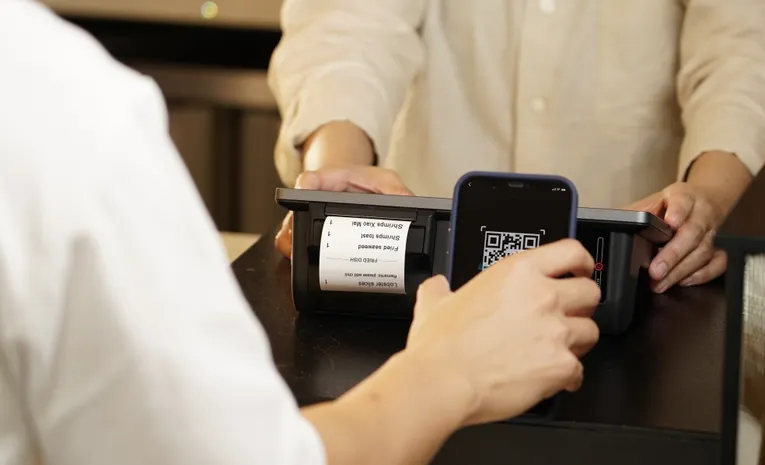
Quick answer: Scanning a QR code itself cannot infect your phone, since it only decodes into a link or text. The real risk is where that link takes you. Before scanning, check whether the code looks physically tampered with (a sticker placed over the original), always preview the destination URL before tapping it, and never enter payment details or login credentials on a page you reached through an unfamiliar QR code without verifying it first.
QR codes appeared in roughly 12 percent of all phishing attacks tracked in 2025, and industry telemetry recorded QR-bearing phishing emails climbing from around 46,000 in August 2025 to about 250,000 by November that year. The attack has a name now, quishing, and it works precisely because scanning a code feels routine and harmless. Here is how to actually tell a safe QR code from a dangerous one.
Can a QR Code Infect Your Phone Just by Scanning It?
No. This is worth clearing up first, since it is the most common misunderstanding. A QR code only decodes into a piece of text, almost always a URL. It cannot install anything on your device on its own. The danger comes after the scan, when the destination link redirects you to a phishing page, prompts a malicious app download, or displays a fraudulent payment form. This is exactly why checking the link before you tap it matters far more than the scan itself.
Check for Physical Tampering First
Before you even scan a code in a public place, look at it closely. Attackers frequently print a sticker with a malicious code and place it directly over a legitimate one, on parking meters, restaurant table tents, transit signs, and event posters. This is the single most common quishing technique in physical spaces.
Signs of tampering include:
- A sticker that sits slightly raised or peeling at the edges, sometimes noticeable if you run a fingernail along the border.
- Printing, fonts, or colours that do not match the surrounding official signage or branding.
- A code positioned somewhere unexpected, for example on the back or side of a parking meter rather than its main face.
- A QR code on a separate card that appears taped or glued on rather than printed as part of the original material.
If a code looks added on rather than integrated into the original design, treat it as suspicious by default. This exact pattern was used against parking pay stations in multiple US cities, where stickered codes redirected drivers to fraudulent payment sites designed to look identical to the real one.
Always Preview the URL Before Opening It
This is the single most important check. Both iOS and Android show you the destination URL in a preview banner before actually opening the link, whether you scan through the native camera app or a dedicated QR scanner. Read that URL carefully. Do not simply tap through out of habit.
Watch for the same red flags you would check in any suspicious link: a domain that closely resembles a known brand but with a misspelling or an unusual ending, a shortened URL that hides the true destination, or a domain that has nothing to do with the business the QR code claims to represent.
Confirm the Destination Uses HTTPS
Check that the URL begins with https:// rather than http://. This alone does not prove a site is safe, since scam pages can use HTTPS too, but any page asking for personal or payment information over a plain, unencrypted http:// connection is an immediate red flag.
Never Provide Sensitive Information Without Verifying the Source
If a QR code leads to a page asking for login credentials, full payment card details, or a Social Security number, stop before entering anything. Go directly to the company’s official website or app instead of trusting the QR code’s destination. A legitimate business rarely requires you to complete a sensitive transaction exclusively through an unfamiliar QR-linked page with no alternative way to reach the same service.
Watch for Redirect Chains
Sophisticated quishing attacks often route a QR code through several redirects, one URL forwarding to another, before finally landing on the fraudulent page. This makes a quick glance at the first URL insufficient on its own. If your scanner or browser shows a chain of redirects rather than landing directly on an expected page, treat that as an additional warning sign.
Why QR Scams Are Especially Effective
Quishing bypasses a habit most people have built up around ordinary phishing links: checking a URL before clicking. A QR code hides that destination entirely until after you scan it, removing the visual cue people normally rely on. It also frequently slips past email security filters, since most filters scan text for malicious links, not the image data inside a QR code embedded in a PDF or picture attachment. A decade of QR codes being used for genuinely convenient things, menus, boarding passes, event tickets, has also trained people to scan first and question later, which is exactly the habit attackers rely on.
Use a QR Reputation Scanner for Anything You Do Not Already Trust
Several free tools let you check a QR code’s actual destination before visiting it, extracting the encoded link, following any redirects, and checking the final destination against known phishing and malware databases. For any code from a source you do not already trust, running it through a scanner like this before opening it directly on your phone adds a meaningful extra layer of protection.
A Fast Pre-Scan Checklist
- Check for physical tampering, a sticker, mismatched branding, or an unusual location.
- Preview the destination URL before tapping through, using your phone’s built-in preview.
- Confirm HTTPS on any page requesting information.
- Never enter payment or login details on an unfamiliar QR-linked page without verifying it independently.
- Use a reputation scanner for any code from a source you do not already trust.
If You Have Already Scanned a Suspicious QR Code
- Do not enter any information if a form appears asking for credentials or payment details.
- Close the page immediately if anything about it feels off.
- Check for unexpected app installation prompts and decline any download you did not intend to start.
- If you did enter sensitive information, change the relevant password immediately and contact your bank if payment details were involved.
- Report the QR code if it was in a public location, to the venue or business it was impersonating, so it can be removed.
Common Questions
Can scanning a QR code alone give my phone a virus?
No. A QR code only decodes into a link or text. It cannot install software on its own. The risk comes from where the encoded link actually takes you after scanning.
How can I tell if a QR code has been physically tampered with?
Look for a sticker placed over the original code, peeling or misaligned edges, printing that does not match the surrounding branding, or a code positioned somewhere unexpected.
Is it safe to scan a QR code on a restaurant menu or parking meter?
Generally yes for well-established, branded locations, but check for signs of a sticker placed over the original code, and always preview the destination URL before proceeding, particularly for anything involving payment.
What is quishing?
Quishing is QR code phishing, where a malicious link is hidden inside a QR code instead of plain text, often specifically to bypass email security filters that scan text but not embedded images.
What should I do if I entered my card details after scanning a fake QR code?
Contact your card issuer immediately to flag the transaction and monitor for unauthorised charges, and change any passwords entered on the resulting page.
The Bottom Line
QR codes themselves are not dangerous, the destination behind them is what matters. Checking for physical tampering, always previewing the URL before opening it, confirming HTTPS, and never entering sensitive information on an unverified page closes off the overwhelming majority of quishing attacks. The habit takes seconds and works the same way whether the code is on a restaurant table, a parking meter, or in an email attachment.